Login
Login gate
Instead of, or as well as, the nginx basic authentication on Hosting, an instance can require a signed session token. Configure services.pointy-host.tokenAuth:
services.pointy-host.tokenAuth = {
  loginUrl = "https://login.example.com/";
  audience = "lab";
  publicKeyFile = "/run/secrets/pointy-session.pub";
};
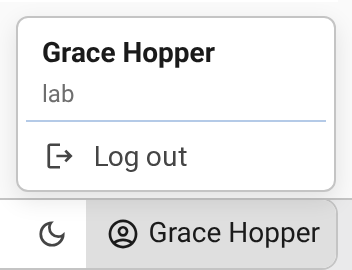
Unauthenticated navigations are redirected to loginUrl; background requests receive 401 instead. The page at loginUrl must POST a form with a token field to /token-login on this host. Pointy accepts an unexpired EdDSA-signed JWT whose aud claim equals audience, verified with the Ed25519 public key in PEM format at publicKeyFile. nginx asks the backend to verify the token on every request, and the status bar shows the token's name claim, or sub when there is no name, with a Log out action that clears the pointy-session cookie. The cookie is HttpOnly, Secure, and SameSite=Lax, so serve the instance over HTTPS. The audience and public key are read when the backend starts; restart it after changing them. /docs/ bypasses this gate, and tokenAuth = null leaves the instance open. Basic auth and token auth can be enabled together.