Reviews
Reviewing results
Success tells you that the program ran, not that the result is scientifically sound. Pointy also checks the result against the output type its template declares; reviewing is still your call. Once you have checked a step's output, open Review step, fill in Reviewed by, optionally add Comments, and save. The review records which version you checked.
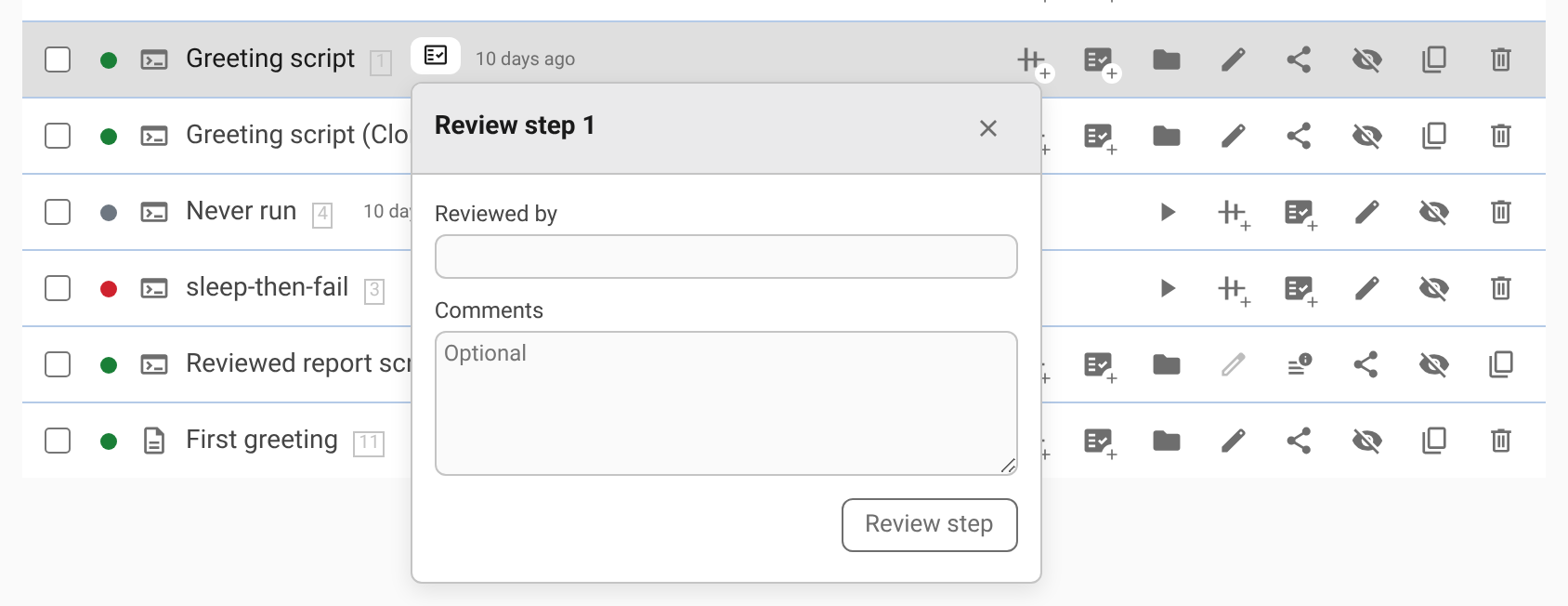
The reviewed step is locked against changes to its name, parameters, uploads, and source files. It keeps showing the result you reviewed. If its inputs or template change later, Pointy helps you compare the new result without replacing the one you approved.
The review shows how the result for the version you are viewing compares with the reviewed result:
| What you see | What it means |
|---|---|
| Reviewed version, without a comparison warning | Pointy is using the same saved output. |
| Same content | This version produces exactly the same files as the reviewed version. |
| Not built | Results for this version are not available yet. Use Build latest version to run it for comparison. |
| Differs | The files differ. Choose View diff to compare them here or in a new tab; the reviewed result is still shown. |
| Check failed | Pointy could not complete the comparison. Hover or focus the chip for the error, including the Nix error behind a failed check; this does not mean the results differ. |
You can update an existing review while the results match. If they differ, inspect the difference, remove the old review, and review the new result when you are satisfied. Remove review also unlocks the step. If the reviewed files are no longer available, Pointy explains why it cannot compare them; rerun the reviewed version or remove the review.
A step has the same review wherever it appears, including in older versions of a folder. Reviewed by is the name entered by the reviewer, not a verified identity. The agent cannot change a reviewed step either.